In my reading today, I stumbled upon a short article by Cali Lewis titled “My Must Have Travel Gadgets.” It got me thinking about all of the cool stuff I keep in my laptop bag. There’s adapters, cords, devices, and other stuff I need everywhere I go. I’m sure many of you have an awesome array of coolness in your laptop bag, so I thought I’d pose the question, and then show you what I’m currently carrying.
So, what do you have in your laptop bag?
The Laptop
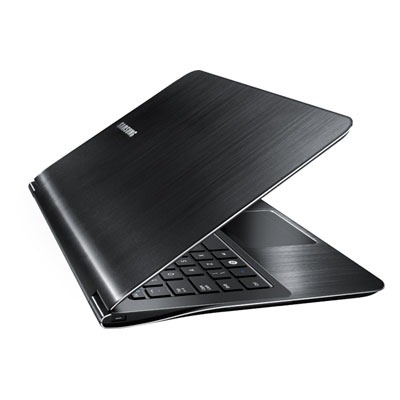
The size of a developer’s bag is always directly proportional to their laptop, so I’ll start there. I’m currently carrying the Samsung Series 9. It’s .62” thick, and weighs less than 3 pounds. It’s a 13” laptop, and I’m sure most people carry a 15” or 17”, but for a machine that I’m carrying all over the country/world, this thing is perfection. I’ve got 4GB RAM and a 128GB SSD inside, so it’s zippy, as well as GORGEOUS.
The Bag
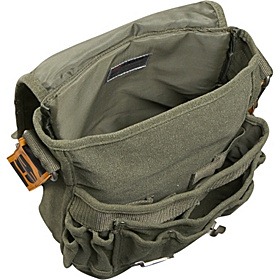
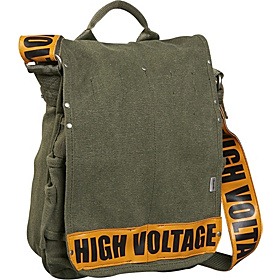
Because I’m carrying such a small laptop, I decided to go with a smaller bag too. In the past, I’ve been carrying a huge (but awesome) bag from BBP Bags (thanks to Kevin Kuebler for the introduction). In this case, however, I was looking for something smaller, almost satchel-like. I found a great bag at eBags.com (made by Ducti) that fits my needs perfectly. I’m not a huge fan of the “HIGH VOLTAGE” shoulder strap, but it’s growing on me, and gets plenty of compliments. And though you’ll doubt it by the end of this article, yes, it holds all of this stuff.
The Headphones
Depending on the type of trip I’m taking, I have two different sets of headphones. For short trips, where I’ll likely only be using headphones in conference hallways or coffee shops, I’ve got the Skullcandy Chops over-earbuds. Audiophiles generally hate Skullcandy’s sound, but I think they’re as good as any earbuds I’ve ever used, and they’re $15. Can’t beat that.
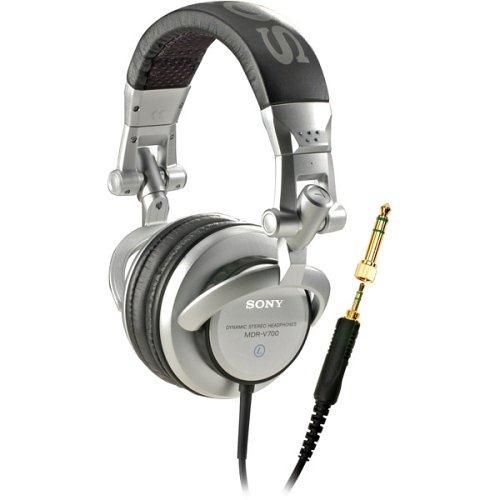
For trips involving flights, I generally want to block out the noise of the flight, the crying baby, and the chatty couple from Boston that I’m sitting next to. These are also my everyday headphones when I work at my desk, so I was shooting for extremely comfortable, amazing sound, but portable. For this purpose, I have Sony’s Studio Monitor Series DJ Headphones. Without question the best set of headphones I’ve ever owned, and Amazon has them for almost 50% off.
The Notebook
You never know when you’re going to have a great idea for an app, or just need to jot some notes down during a presentation. For this, there’s still nothing better than pen and paper. I’ve been a big fan of Moleskine notebooks for years, and having spoken at the Kalamazoo X Conference the past three years, I’ve gotten one as a gift each time. They’re durable, small in size, and easy to tuck into your existing bag, and they’re less than $15.

Also, because I use these notebooks for app ideas, UI sketching, etc., I’ve found a great set of templates that I keep in the back pocket of my Moleskine. They’re from a company called UI Stencils, and they make templates for sketching iPhone, Windows Phone, and Android apps. The stencil comes with a cool mechanical pencil to fit neatly into the small spaces of the template (and your bag).

The Internet
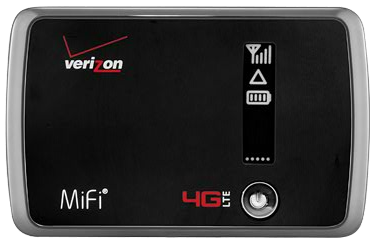
Yes, I keep the entire internet right in my laptop bag. Actually, I have the Verizon Mifi 4G LTE device. The 4G is surprisingly fast, relatively affordable, and about the size of 10 credit cards stacked on top of each other. It allows me to connect up to 5 separate devices to the internet at once. This is not something I would use as my primary source of internet access (you only get 5GB of data per month), but if you use it whenever you can’t get free wi-fi, it’s great to have. You can probably get the device for free with a 2 year contract (@$50/mo), but even folks that don’t want to negotiate can get it for less than $30. For presentations that require internet access, this is an invaluable part of your bag.
The Phones
I always keep my development phones with me…just in case I need to try something out. Currently, I am using the Asus Prototype Windows Phone running the Mango update, as well as my trusty HTC Arrive. They can both connect easily via wi-fi to my Verizon Mifi device, so I don’t need a plan just to have extra phones to work with.


The E-Reader
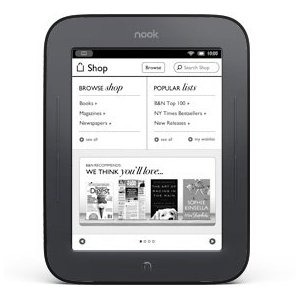
I’ve never been someone who people would consider a “reader” until I got this device. I’m reading 2-3 books a month now, thanks to my nook touch. This is not a tablet, it’s not even in color, but the touch screen works remarkably well, and is ideal for reading. I can get books out of the library for free, and I can put all of the e-books that I’ve received from O’Reilly and other technical publishers on this device. That means that I can keep all of my reference material with me, on a great device for reading, with a battery life around 2 months! This is a must have in my bag anymore.
The Chargers
It used to be that for every device, you needed another cable to charge it. As you know, I’m dabbling heavily in the mobile app development space. This means that I’ve got several phones with me at all times, and I need a way to charge them. I’ve found that the Barnes & Noble nook charger absolutely meets all of my needs. Some micro-USB cables only seem to work with certain devices (I’m looking at you, LG). The nook charger provides not only a 3 foot cable, but also a USB power adapter. This means that I can charge up my phone without having to use up one of the precious USB ports on my laptop. And together, they only cost $15.

The Backup Power
As you may notice in this post, I like to plan for every possible contingency. Sometimes, you’re not in a place where you can sit near a power outlet, or perhaps you’re on the move, but your phone died. This is where carrying backup power comes in very handy. In my case, I’m using the Energizer “energi to go” battery pack. I have the smaller model, the Energizer XP8000, but for most purposes, it’s probably plenty for your needs. I actually got it from Woot.com for around $40, but it generally goes for about $85 on Amazon. It will give you about 4 extra hours of charge on your laptop, and about 16 hours of power for your mobile phone. (The picture below is actually how big it is.) It also comes with nearly every adapter you can imagine, so you should be ready to go out of the box.
The Laptop Accessories
Nearly everything else in my bag is related to my laptop in some way. Cables, dongles, converters, a mouse, etc. I’ll cover all of the notable ones here.
Mouse
First, I carry a mouse with me. There are some that will live and die by their track pads, but the moment I can use a mouse again, I’m happy. I’ve traditionally been a trackball user, but trackballs aren’t generally small in size, and since I’m not using any of this equipment for 8-10 hours a day, a mouse is sufficient. I’m currently using the Microsoft Wireless Mobile Mouse 4000. It’s small enough to fit in a compact bag, but big enough to feel like a real mouse in your hand.

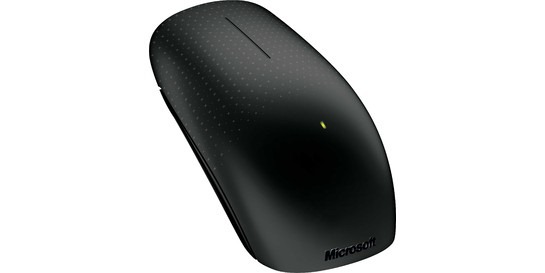
Ultimately, however, I think I’m holding out for the Microsoft Touch Mouse that’s coming out in August. It incorporates gestures into a small, wireless form factor. I’m really looking forward to getting my hands on one of these. It’s like a trackball/mouse combo that fits in my bag.
Memory Stick
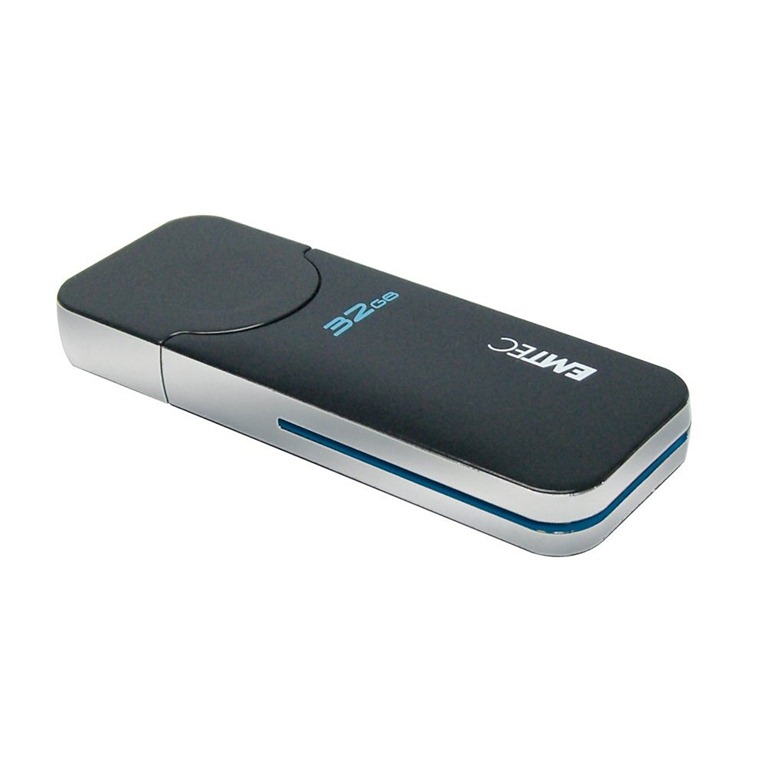
Even though most files can be emailed or uploaded, those technologies are still no match for a trusty USB stick at your side. I’ve actually got a jar of USB sticks that I’ve saved over the years, ranging from 16MB all the way up to 4GB. But there’s only one that lives in my bag, and it’s the “just in case” drive for almost any purpose. It’s a 32GB EMTEC drive. It’s probably not the best drive in the world, and it’s certainly not the fanciest, but it works great, and it’s affordable. It’s under $40 at Amazon.com.
Laser Pointer and Presentation Controller
When you’re in front of an audience, there’s nothing worse than being stuck standing behind your computer, just so that you can advance your slides. That’s where this becomes invaluable. I carry the Logitech Professional Presenter R800. It has a unique green laser (rather than the far more common red) pointer, as well as all the controls and features a presenter could want. It connects via a USB wireless receiver, which is surprisingly fast and responsive. You can go forward, backward, blank the screen, and it even features a programmable timer, so that it will vibrate in your hand as you approach your allotted time. It is $60, but I’ve gotten my money’s worth out of this 4 or 5 times already.

USB Hub
You never know when you’re going to need to plug 19 peripherals into your laptop at a conference, or charge a few friends’ phones, so having a small USB hub never hurts to tote around. I have a very cheap one that was probably a giveaway at some conference, but it’s been ultra-reliable and super portable. Best part of this hub is that cable snaps into the bottom of the hub, so there’s nothing just dangling off of the device. I found a similar one on Amazon.com for less than $9.

Backup Display Options
Because I give many presentations in many different facilities, sometimes your laptop just doesn’t want to play nicely with the currently provided projector. If that’s the case, I need a plan B and plan C as soon as possible. The presentation starts in 5 minutes. To accommodate this, I have several different devices in my bag.
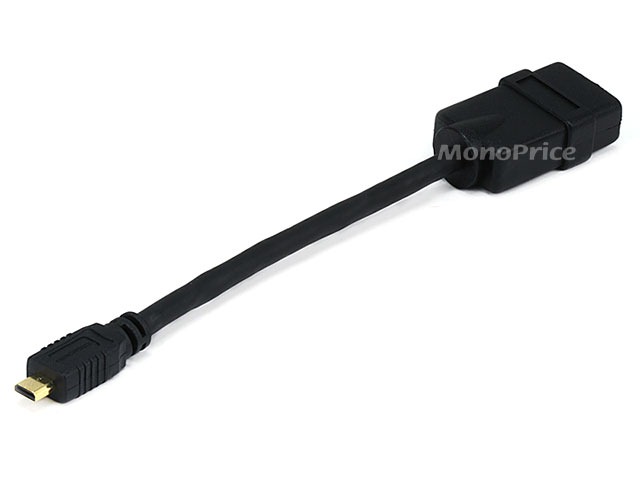
Plan A is a mini-HDMI to full-HDMI cable that I got on Monoprice.com for around $4. This, combined with the gorgeous orange 1,5 ft. HDMI cable that I also carry allows me to plug straight into any projector that can handle an HDMI input. Unfortunately, I’d say less than 25% of the projectors I have encountered (my sample size is hundreds) actually have an HDMI input.

Plan B is to use the cable that came with my laptop, a mini-HDMI to VGA converter dongle. This has worked 100% of the time that I have used it.

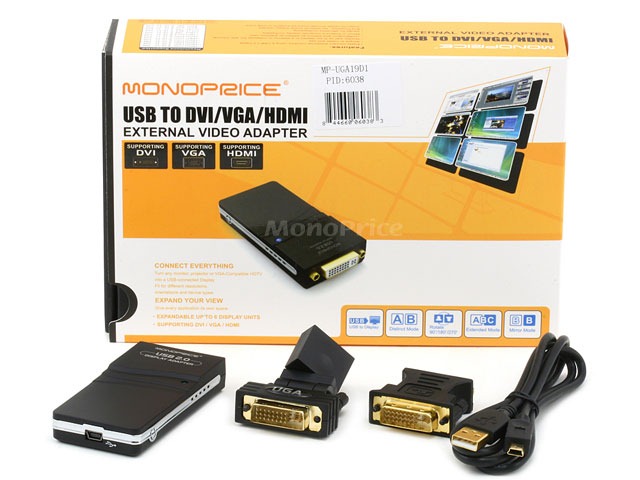
Plan C only even exists because I’ve heard horror stories of people with my laptop not being able to use the first two options. This is a last resort, but as a professional speaker, I can’t afford to fail. This plan includes taking the video output via USB, and converting it to VGA or DVI using a USB Display Adapter that I purchased from Monoprice. It costs around $50, however, so don’t get this unless you’re as panicked as me that something will go wrong.
Dust Cleaning Cloth
Part of having a pretty laptop is having a clean laptop. (Thanks to Brian Gorbett for teaching me this obsession.) Fingerprints, dust, and smears make even the nicest machines look gross. I recommend a cloth similar to the ones you get with a new pair of eyeglasses. Microfiber, very thin, easy to store. They should be relatively inexpensive, like these from Amazon.
The Deck of Cards
You never know when you’re going to need to pass the time, and a deck of cards solves that in many ways. Solitaire by yourself, and hundreds of games with your friends, like Gin Rummy, Euchre, or any type of poker. What I’m saying is that it never hurts to have a deck of cards.

The Spare Batteries
My mouse and my presentation controller take AAA batteries. You never want to be without power, so I always carry an extra set of fresh batteries, just in case. I’d recommend you do the same if you’ve got devices that can’t be charged. They’re small, and they’ll save your butt.

The Summary
So, that’s the list of everything I carry with me everywhere. There are a few pens, and probably an extra laser pointer in there, but for the most part, this in an exhaustive list.
I’m sure there are many things in your bag, and I’d love to hear what they are. Is there something I hadn’t considered? Is there something fun that you carry around instead of a deck of cards? Leave a comment, or write your own article. I’d love to know what’s important enough for you to carry around all the time.


 JEFF BLANKENBURG
Leave a reply to Brian T. Jackett Cancel reply